
Sources
Sources are everything your agent may answer from. It never uses anything else, and every answer shows the sources it came from.
Four kinds of source
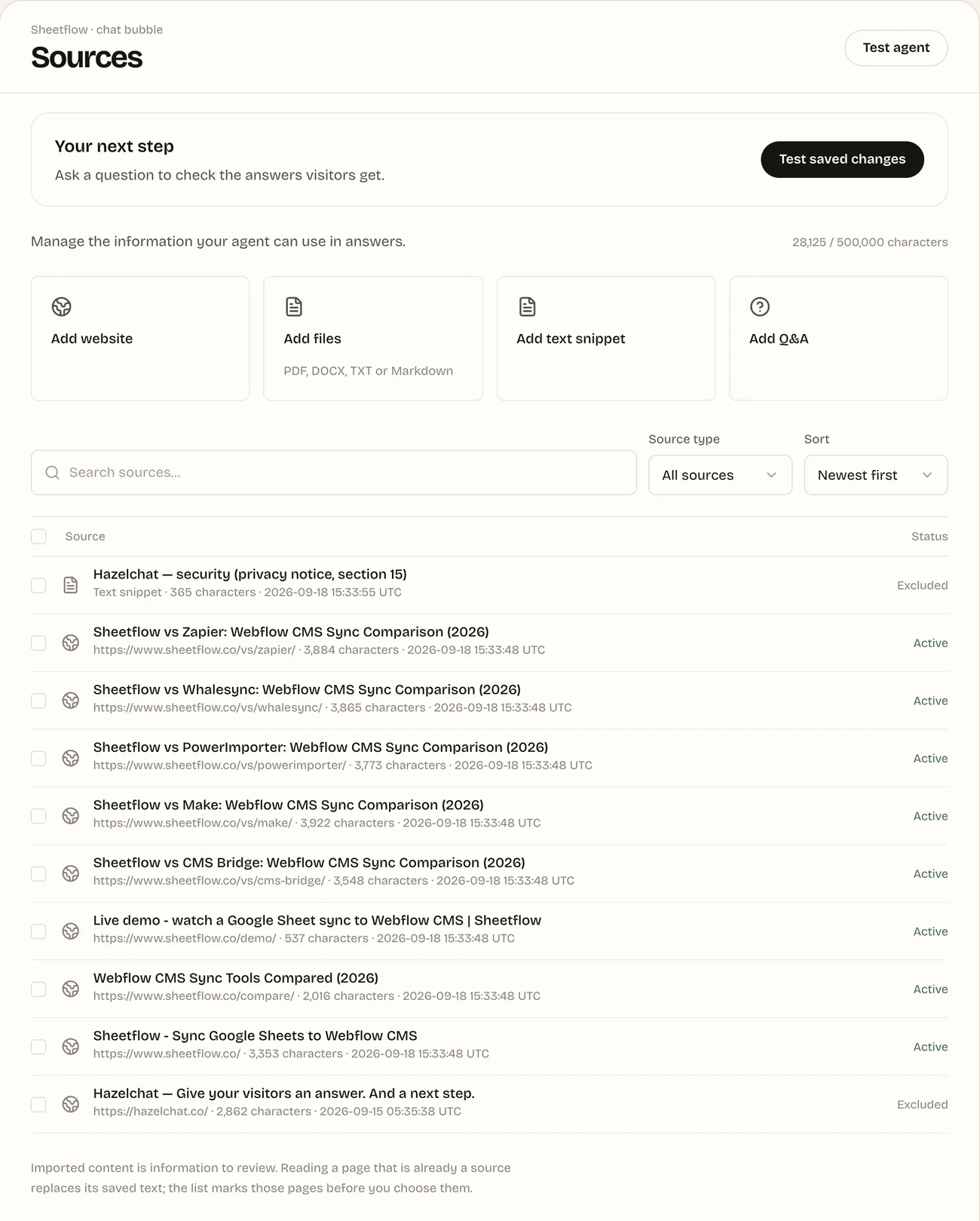
| Add | What it is |
|---|---|
| Add website | Pages from your website. Hazelchat finds them from your sitemap and the links on the page you enter, and you tick the ones to add, up to 40 at a time. A long page is cut at 40,000 characters. |
| Add files | PDF, DOCX, TXT or Markdown, up to 5 MB each. PDFs need selectable text; scanned files need OCR first. Hazelchat keeps the text, not the file. |
| Add text snippet | Text you write or paste, up to 40,000 characters. Good for details that are on no page. |
| Add Q&A | An approved answer of up to 900 characters, with up to ten ways a visitor might ask for it. |
On Webflow and Wix, the app lets you choose published pages (and Webflow CMS items) directly from your site.
Keep sources tidy
Each source is Active, Excluded or Needs attention. Exclude a source to stop answers using it without deleting it. Read a page again to replace its saved text with what is on your website now. Search, filter by type and sort to find a source quickly.
Imported content is information for you to review. Instructions written on a page or in a file are never followed as commands; they are treated as text.
Limits
The same on every plan: up to 50 sources and 500,000 characters per workspace. The counter at the top of Sources shows how much you have used.
When changes reach visitors
Changes to sources save on their own and go into your draft. Try them in Test agent, then publish: until then, visitors keep getting answers from the version that is live.